At 4 p.m., a manager shouldn't have to call three technicians, search through text messages, and wait for an Excel sheet to know if scheduled work was completed. The best operational dashboards provide this answer immediately, based on work actually entered into work orders, mandates, tickets, or projects.
For a service-based SME, a dashboard is not a decorative screen for a monthly meeting. It is a tool to take action before a delay leads to an unhappy client, a forgotten cost reduces a margin, or a pending timesheet blocks billing. Its value depends less on the number of charts and more on the quality of the data feeding it and the decisions it enables.
What a good dashboard should show
An operational dashboard answers specific questions: what needs to be done today, what is late, who is waiting for an answer, and what work can be billed? If you have to export data, clean it, and then interpret it in another file, it arrives too late to guide operations.
The most useful indicators are linked to your specific workflow. An excavation company will want to track equipment, hours, and costs per job site. A maintenance company will want to see scheduled, completed, and incomplete visits. A specialized workshop will need to monitor current orders, consumed parts, and promised deadlines. The same indicator does not automatically suit everyone.
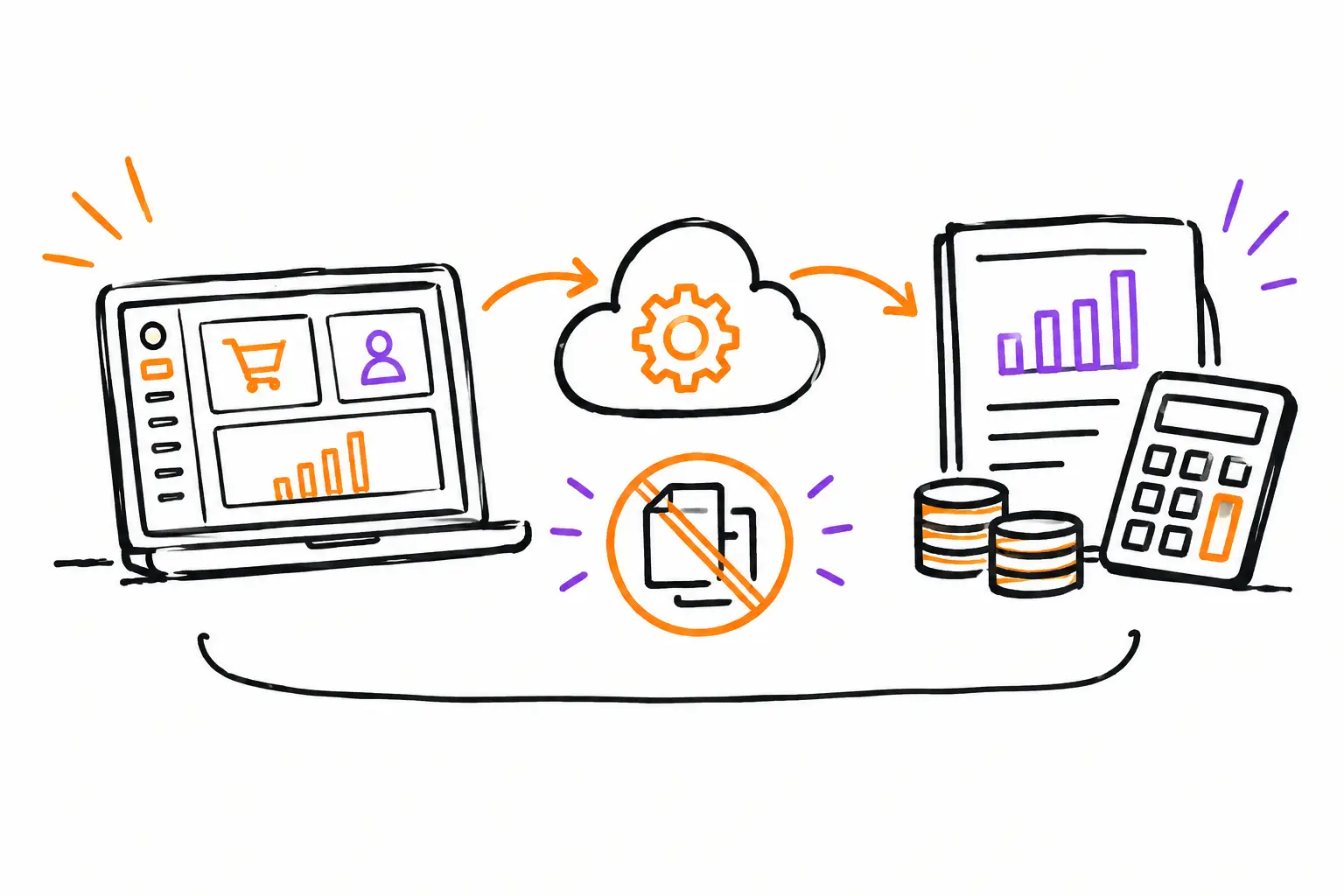
This is why a dashboard must start from the document that already organizes the work: work order, service ticket, client mandate, or project file. Every status change, hour entered, photo added, expense declared, or validation obtained then becomes useful data. The team doesn't do data entry to feed a report. They document their work, and the dashboard updates in the same motion.
The best operational dashboards follow the real workflow
A good dashboard does not replace coordination work. It makes that work simpler. It must reflect the concrete path of your team, from the client's request to the invoice.
Let's take a common example. A request comes into the office, becomes a quote, then a work order. The dispatcher assigns a team and a date. In the field, employees check off tasks, add photos, log their hours, and report any unforeseen issues. Upon return, a manager validates the file and transmits the billable items.
At each of these steps, the manager must see what is blocking progress. Quotes without follow-up do not require the same action as work orders assigned but not yet started. Completed but unvalidated files do not require the same attention as hours entered without billing rates. Grouping all these elements into a single metric, like "open projects," often hides the problem instead of revealing it.
A useful dashboard therefore shows statuses that correspond to your real decisions. For example: to be scheduled, scheduled, in progress, waiting for client, to be validated, ready to bill, and billed. These labels may vary by industry. The important thing is that each status leads to a clear next action and a responsible person.
Indicators that truly help an SME
It is not necessary to display twenty metrics on the same page. Five to eight well-chosen indicators often provide a better reading of the day than a wall of charts. For field operations and project-based companies, the following categories generally offer a solid foundation:
- Work to do and delays: number of documents to schedule, overdue interventions, incomplete tasks, and at-risk deadlines.
- Team capacity: planned hours compared to available hours, load per employee or team, unconfirmed assignments.
- Field execution: work orders started, completed, blocked, or returned for missing information.
- Work profitability: planned and actual hours, expenses, materials consumed, cost variances, and value of work in progress.
- Billing: files ready to bill, unapproved hours, missing supporting documents, and delays between work completion and invoice submission.
The final choice depends on the maturity of your process. If timesheets are still arriving several days late, start by tracking hours entered and completed work orders. Trying to measure margin per intervention before having reliable hours risks creating a beautiful presentation based on incomplete data.
Frequency also matters. Operations need a daily, sometimes hourly, view. Management needs a weekly reading to spot trends: work volume, deadline compliance, capacity, billing, and cost variances. The same environment can serve both, but the screens should not be identical.
Avoiding dashboards that create more work
The most frequent problem is not a lack of data. It is double entry. When employees fill out a paper work order, someone re-enters the hours into a spreadsheet, and then someone else prepares the invoice in accounting software, the dashboard becomes a delayed reconstruction of reality.
This method costs time, but it also reduces trust in the numbers. The technician knows they finished the intervention, the office doesn't see it as finished yet, and the client is waiting for an invoice. Between the three, there are emails, calls, and information getting lost.
Another trap is tracking only what is easy to count. The number of closed tickets is simple, but it doesn't say if the client signed, if additional work was documented, or if materials were added to the file. A team can close many tickets while leaving money on the table.
One must also be wary of indicators used to monitor people rather than to improve work. Comparing the hours of two technicians without considering the complexity of the calls, travel, or responsibilities quickly creates distrust. Data should help the team plan better, document better, and resolve bottlenecks sooner.
Building a dashboard that will be used
Start with a situation where a decision is delayed due to a lack of information. Perhaps completed work stays too long without an invoice. Perhaps the coordinator learns too late that an intervention did not take place. Choose one problem, then determine the data that would allow you to see it early enough to act.
Next, verify the source. If the indicator depends on field hours, the hours must be entered into the work document, ideally at the moment they are performed. If you want to track the progress of a mandate, the statuses must be simple to update on mobile as well as in the office. A reliable dashboard always starts with an easy-to-follow workflow.
Also define what triggers an intervention. Seeing "12 files to validate" is only useful if someone knows they must process them before the end of the day. Seeing a late intervention is useful if the dispatcher can reassign the team, notify the client, or modify the appointment. Every important piece of data should lead to a possible action.
With a platform like Sequentia, the work document can become that central point: tasks, procedures, photos, time, communications, expenses, and validations are linked to the same file. The dashboard then does not depend on manual compilation. It follows the real movement of work and helps convert what was executed into a quote, report, or invoice without re-entry.
A clear view, not an abstract promise
The best dashboards are not those that impress with the most colors. They are those that allow an SME to answer quickly: where does the work stand, what is blocking it, who needs to act, and what can be billed now?
Your company does not need to change its methods to fit into a generic dashboard. It needs a tool that respects its documents, its steps, and its way of serving its clients. Start with the next delay you want to avoid or the next invoice you want to send faster. That is often where a good dashboard starts to pay off.