Identity and responsibility
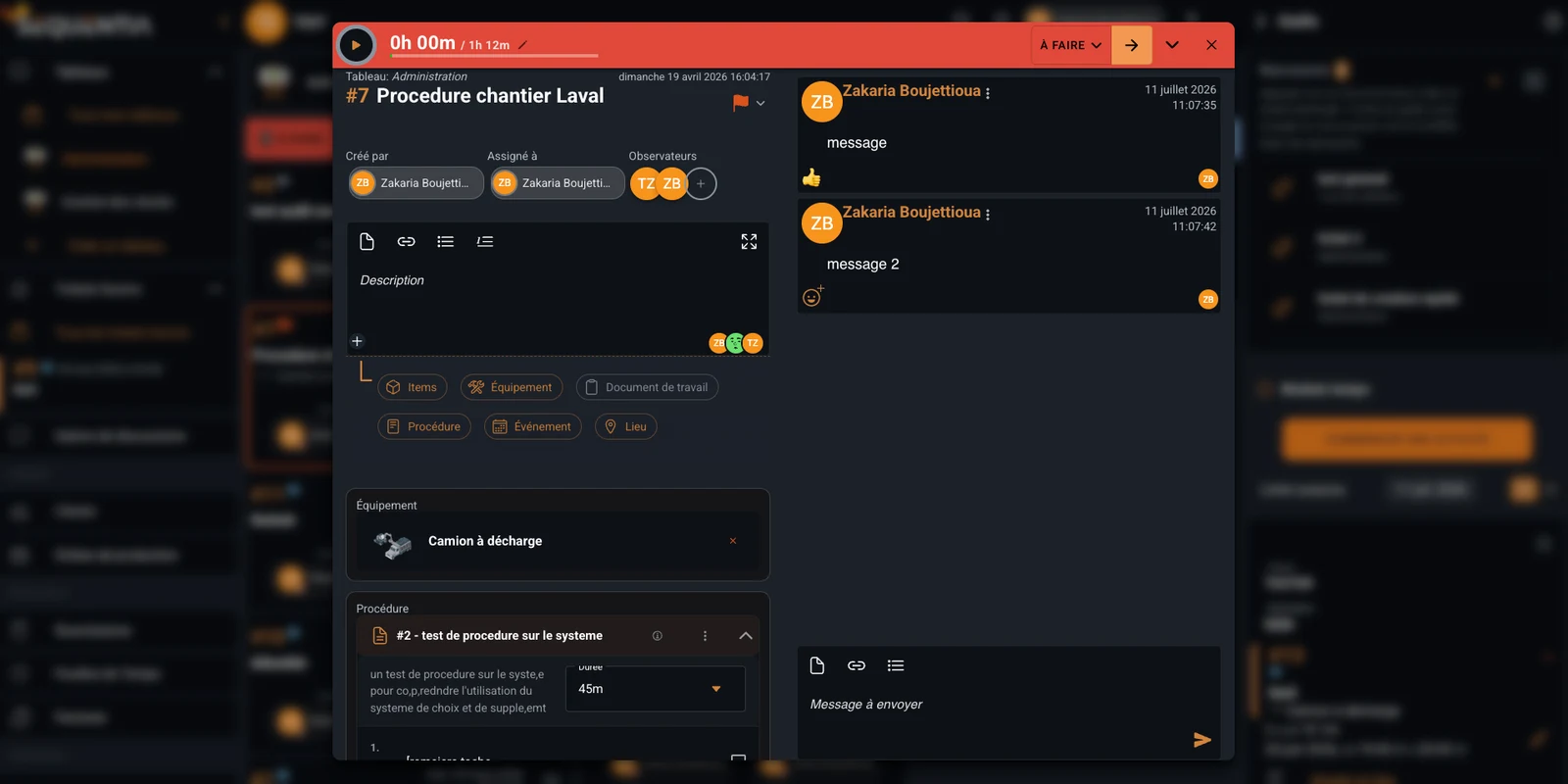
Number, title, board, status, priority, dates, creator, assignee, and watchers make ownership explicit.
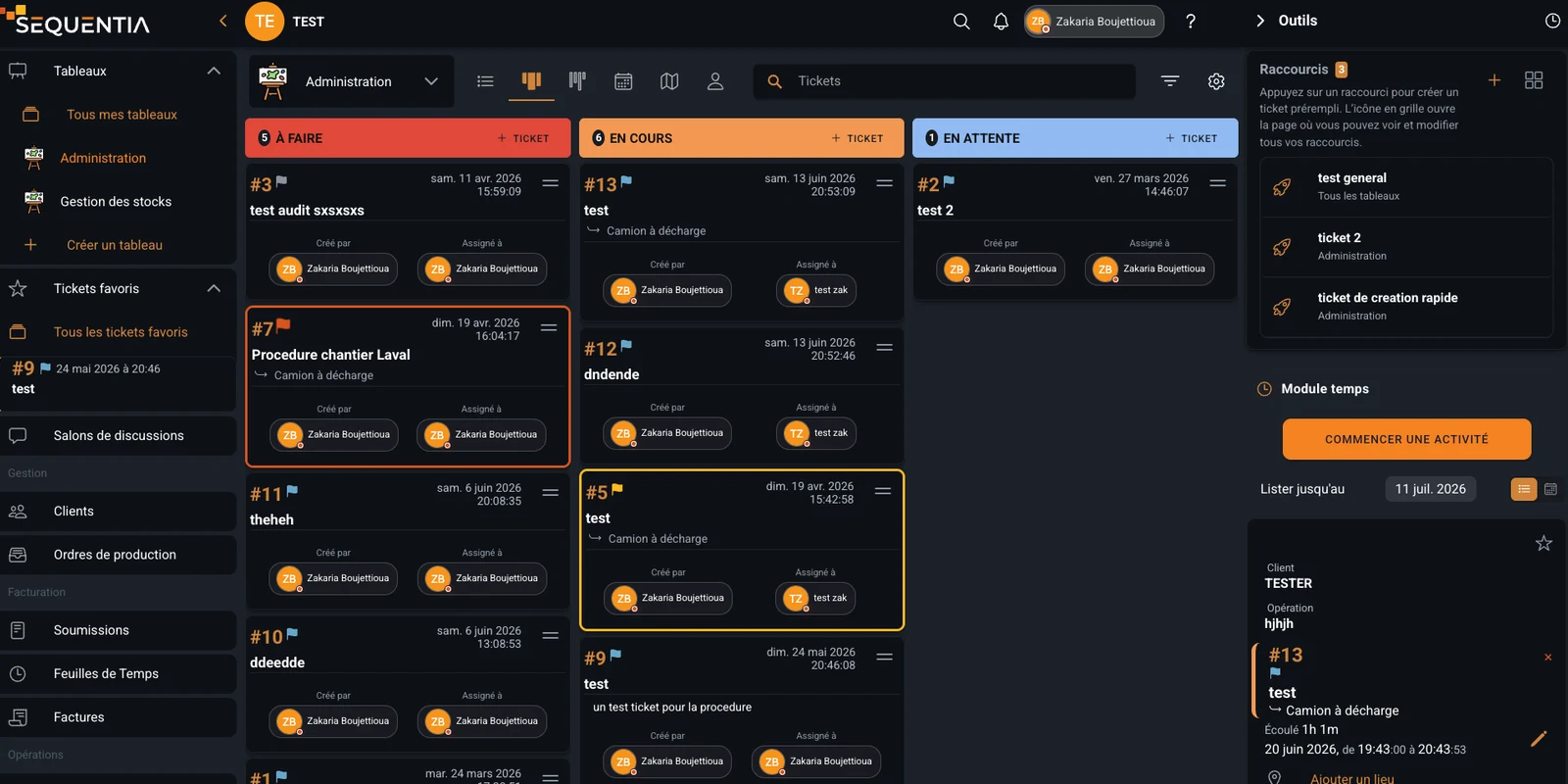
Centralize requests, incidents, jobs, and follow-up in collaborative tickets organized on Kanban boards with search, favorites, shortcuts, and linked business context.
The ticket record brings together ownership, description, conversations, time, equipment, procedures, and other business objects. The next views show how teams organize, search, and quickly reopen those tickets.
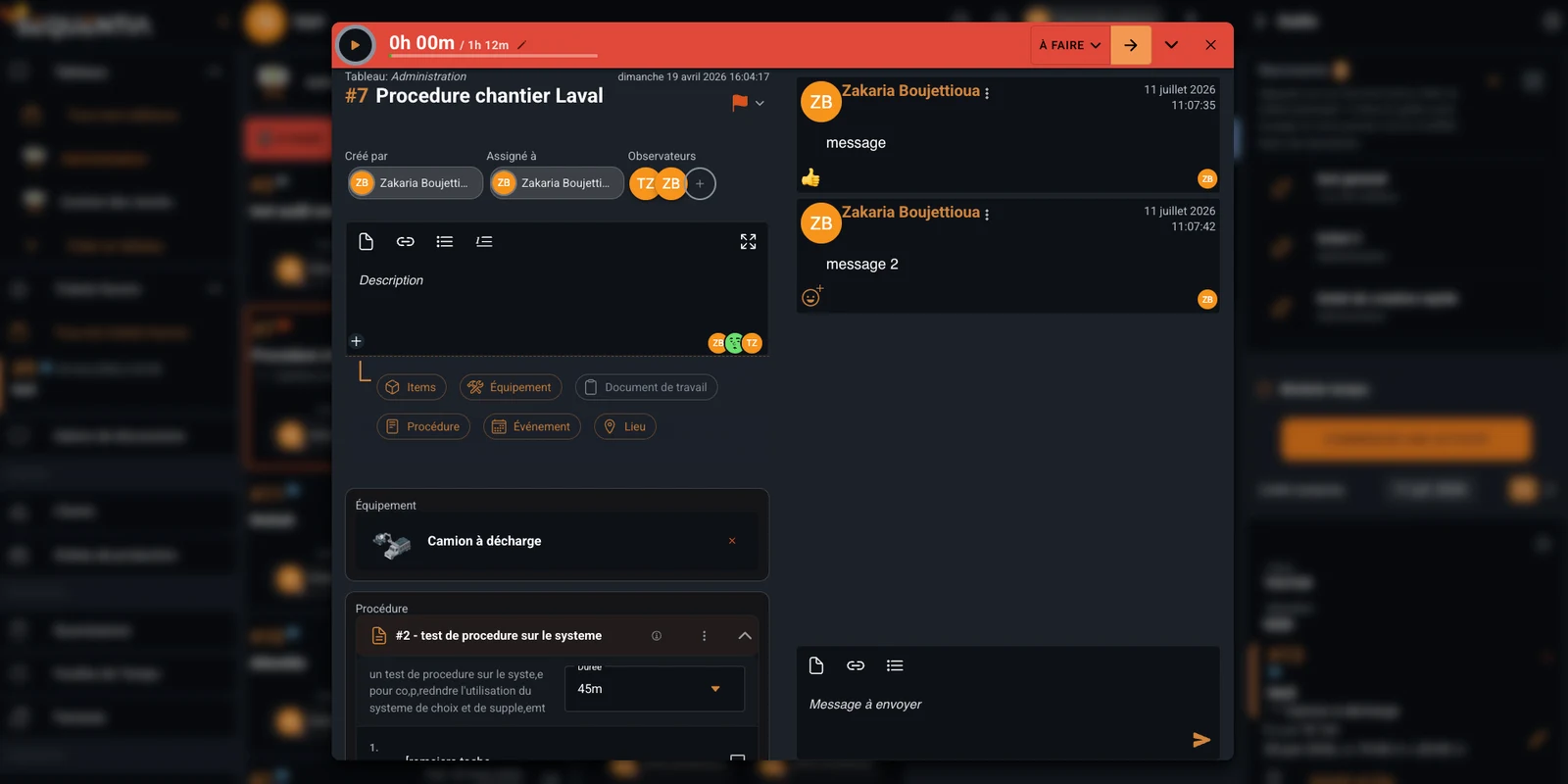
A Sequentia ticket is more than a card in a column. It has a number, title, status, and priority indicator, then brings together responsibilities, description, conversations, time, and the business objects needed to move work forward without losing context.
Number, title, board, status, priority, dates, creator, assignee, and watchers make ownership explicit.
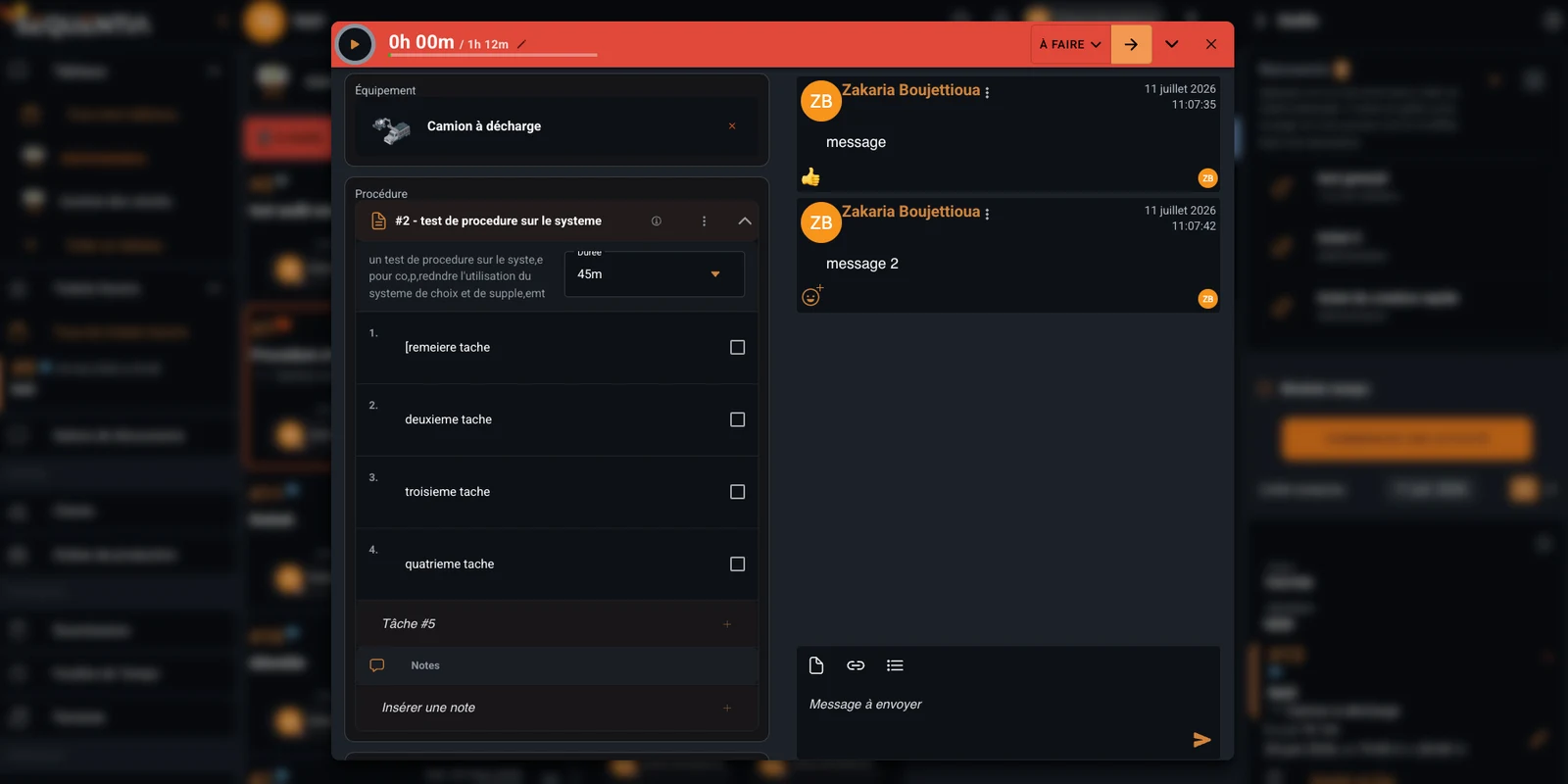
Add text, files, links, lists, messages, reactions, and notes in one collaborative space.
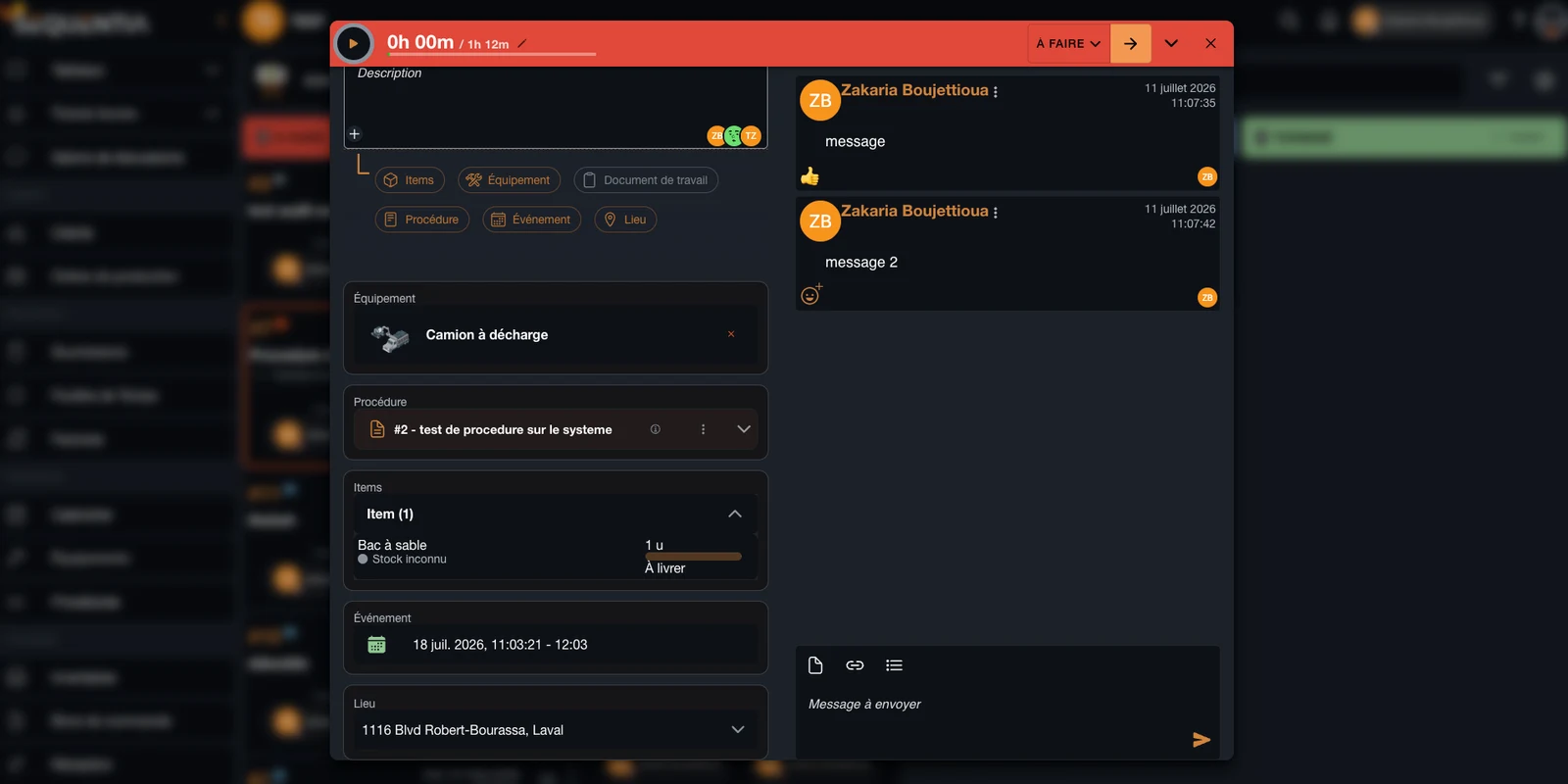
Connect items, equipment, work documents, procedures, events, and locations to keep the full context.
Compare recorded time with the estimate, update status, and retain the history of completed work.
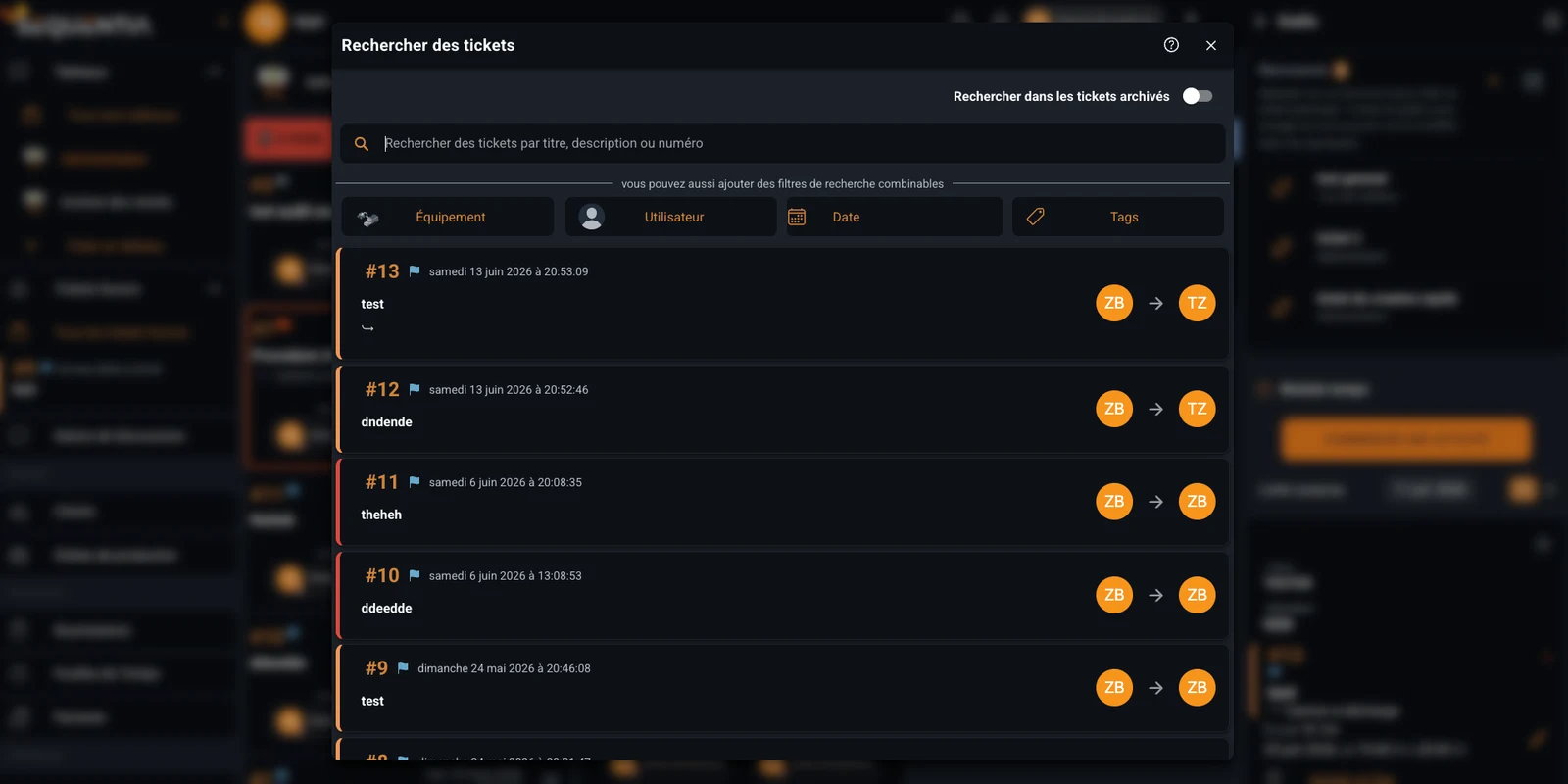
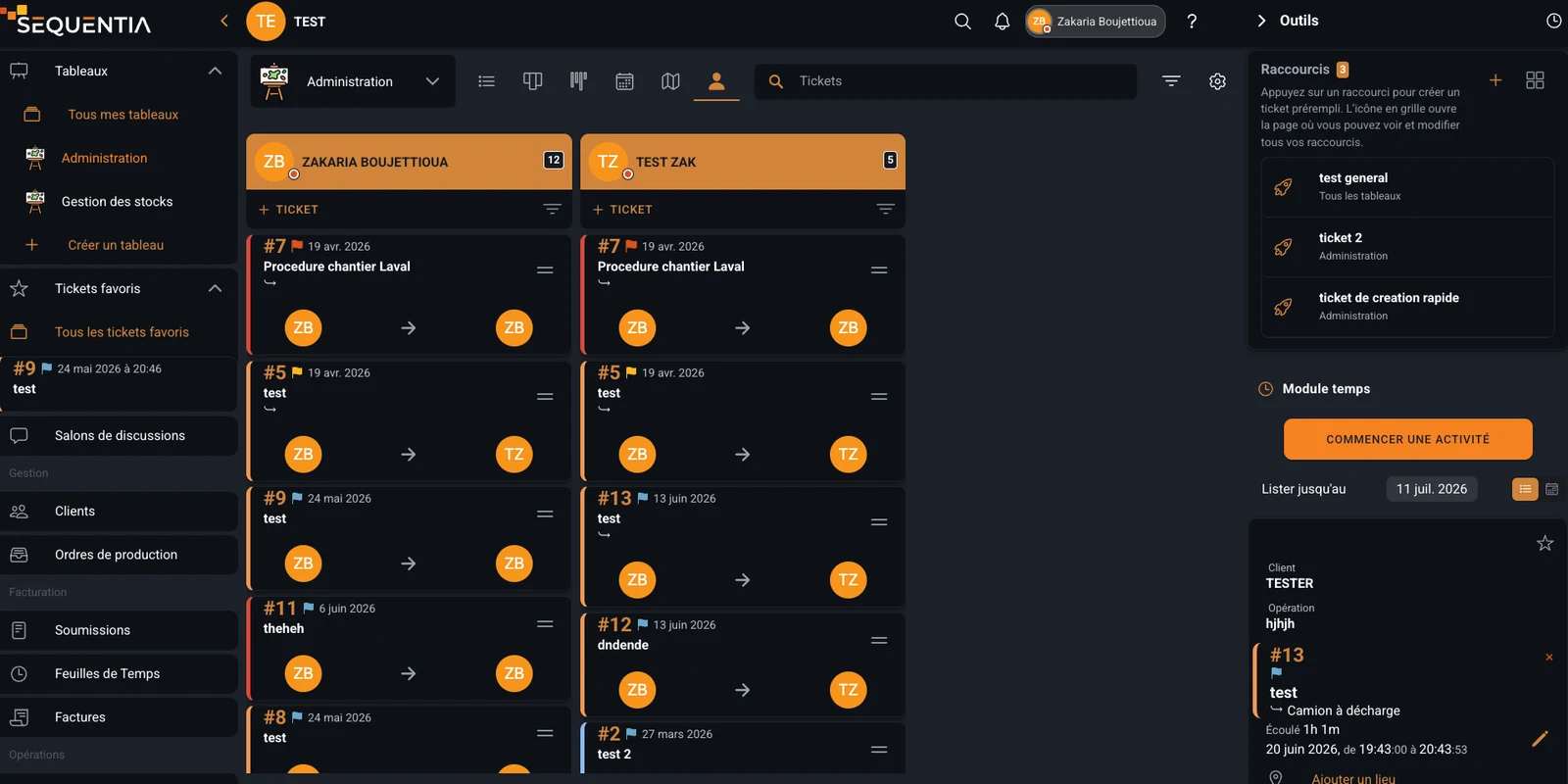
Teams can choose the representation that fits the work, find a precise request, and keep important tickets within reach.
Switch from Kanban columns to list, compact, calendar, map, or user views depending on the workflow.
Search by title, description, or number, then filter by equipment, user, date, tags, or archived tickets.
Add priority tickets to favorites so they remain available in the Favorite tickets navigation section.
Create shortcuts for prefilled tickets to speed up frequent requests and standardize their content.
Each benefit addresses a real scenario: completing a field job, handling a request, repeating an operation, or correcting an issue without losing context.
Assign a technician, connect the equipment and procedure, track time, and keep job conversations together. Statuses and the board immediately show what is waiting, moving, or needs attention.
Centralize a request, clarify ownership, inform watchers, and track progress through completion. Creators, assignees, and watchers know who acts, who follows, and who needs to stay informed.
Use a shortcut or automation to quickly create a structured ticket with the right context. Shortcuts reduce data entry and ensure frequent requests start with the right structure.
Document the issue, attach evidence, coordinate actions, and retain decisions and approvals. Descriptions, messages, files, time, and linked objects remain attached to the ticket after closure.
Answers to common questions about ticket management in Sequentia.
A ticket can contain a number, title, description, status, priority, estimate, recorded time, creator, assignee, watchers, messages, files, items, equipment, a work document, a procedure, an event, and a location.
A ticket primarily coordinates a request, action, or conversation on a board. A work document is the broader operational record for a job, mandate, or project. The two can be linked.
Yes. An important ticket can be added to favorites and remains available in the Favorite tickets navigation section for quick access.
Search by title, description, or number and combine filters for equipment, user, date, and tags. Search can also include archived tickets.
A shortcut creates a prefilled ticket for a frequent request. It speeds up entry and helps teams use the same structure and board.
We're here for you. Choose who to reach out to - a real person, not a form, not an AI.