Structured library
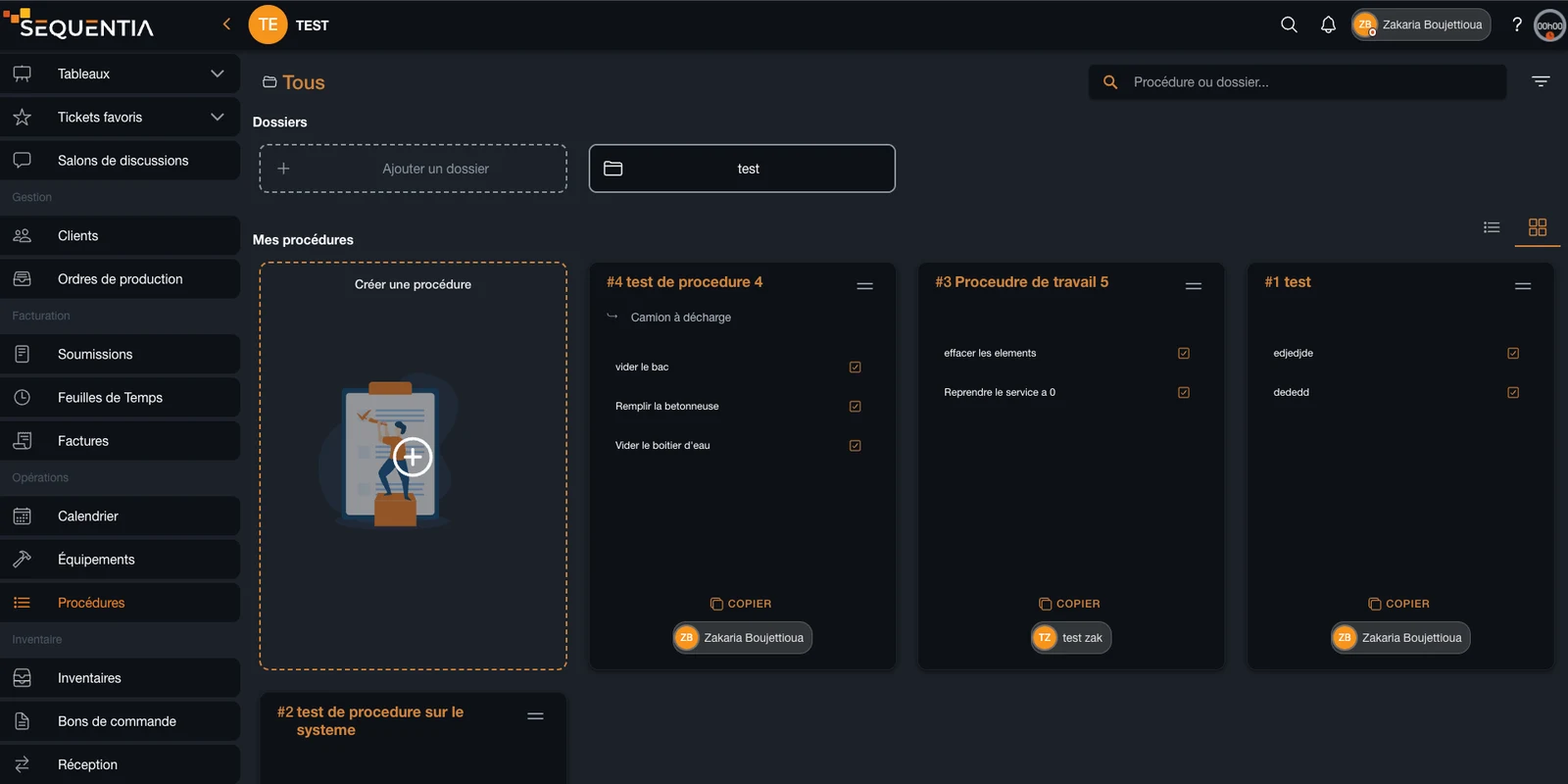
Organize procedures, SOPs, and work instructions in folders that are easy to search and consult.
Centralize your company's standard operating procedures, work instructions, checklists, and internal know-how in a knowledge base available where work happens.
Organize company know-how in one shared library, then connect each procedure to the relevant equipment or ticket. Teams can open the right steps, complete tasks, and add notes without leaving the job in progress.
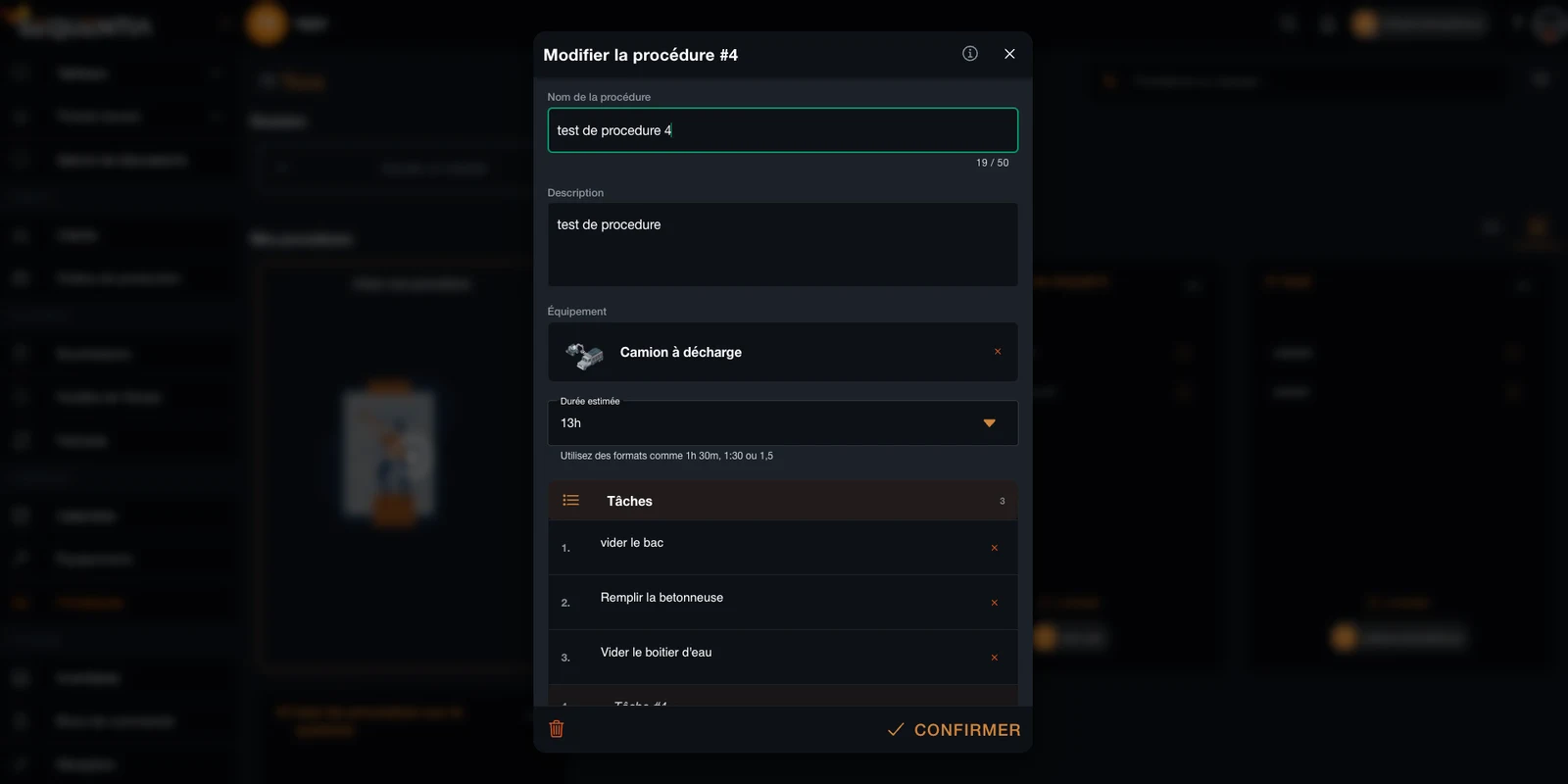
A Sequentia procedure turns knowledge held by a few experienced people into clear, reusable instructions. Each SOP can describe the context, steps, expected duration, and relevant equipment, then guide the team directly inside tickets and field jobs.
Organize procedures, SOPs, and work instructions in folders that are easy to search and consult.
Break each operating procedure into ordered tasks with estimated time, instructions, and field validation.
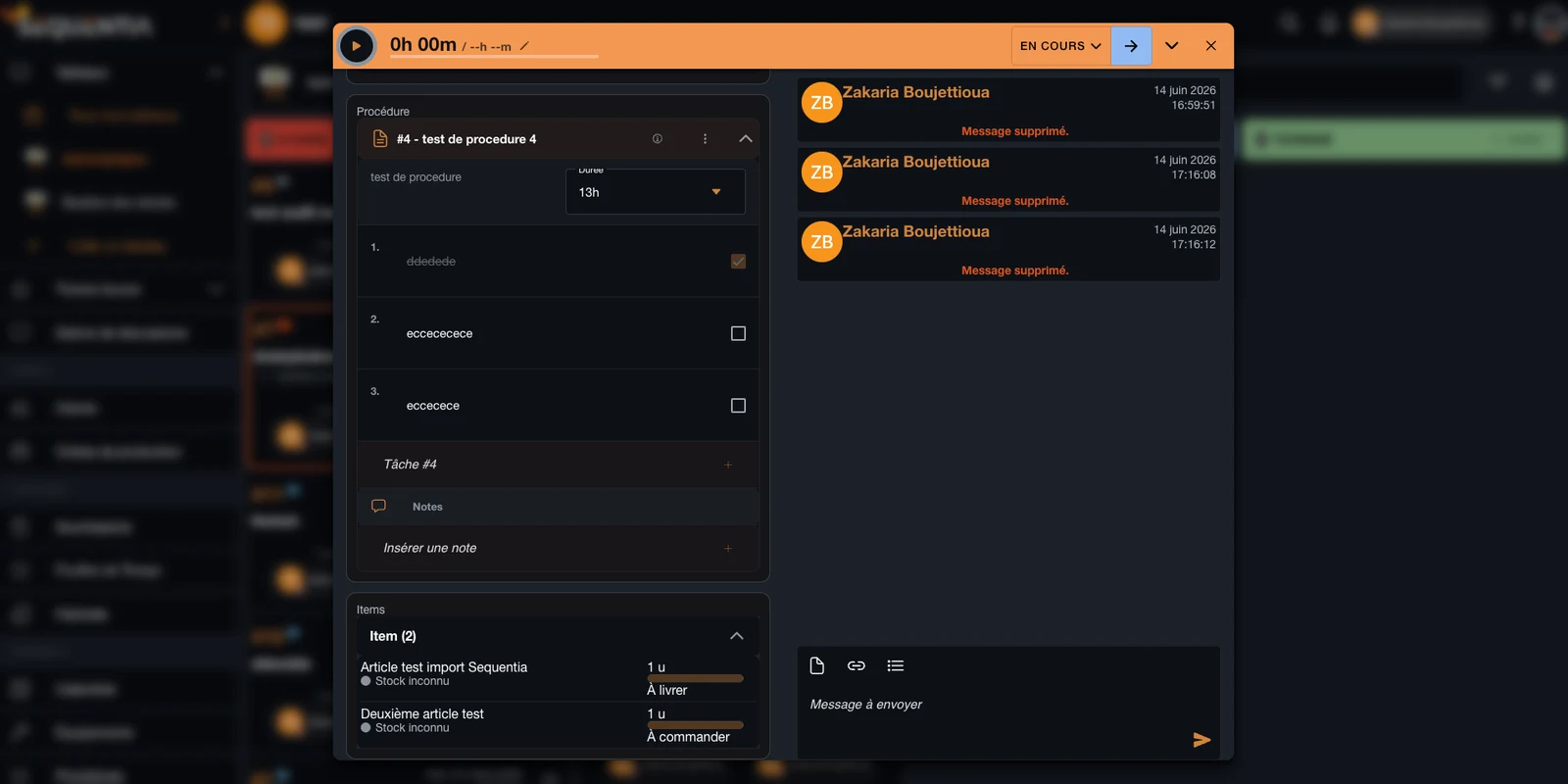
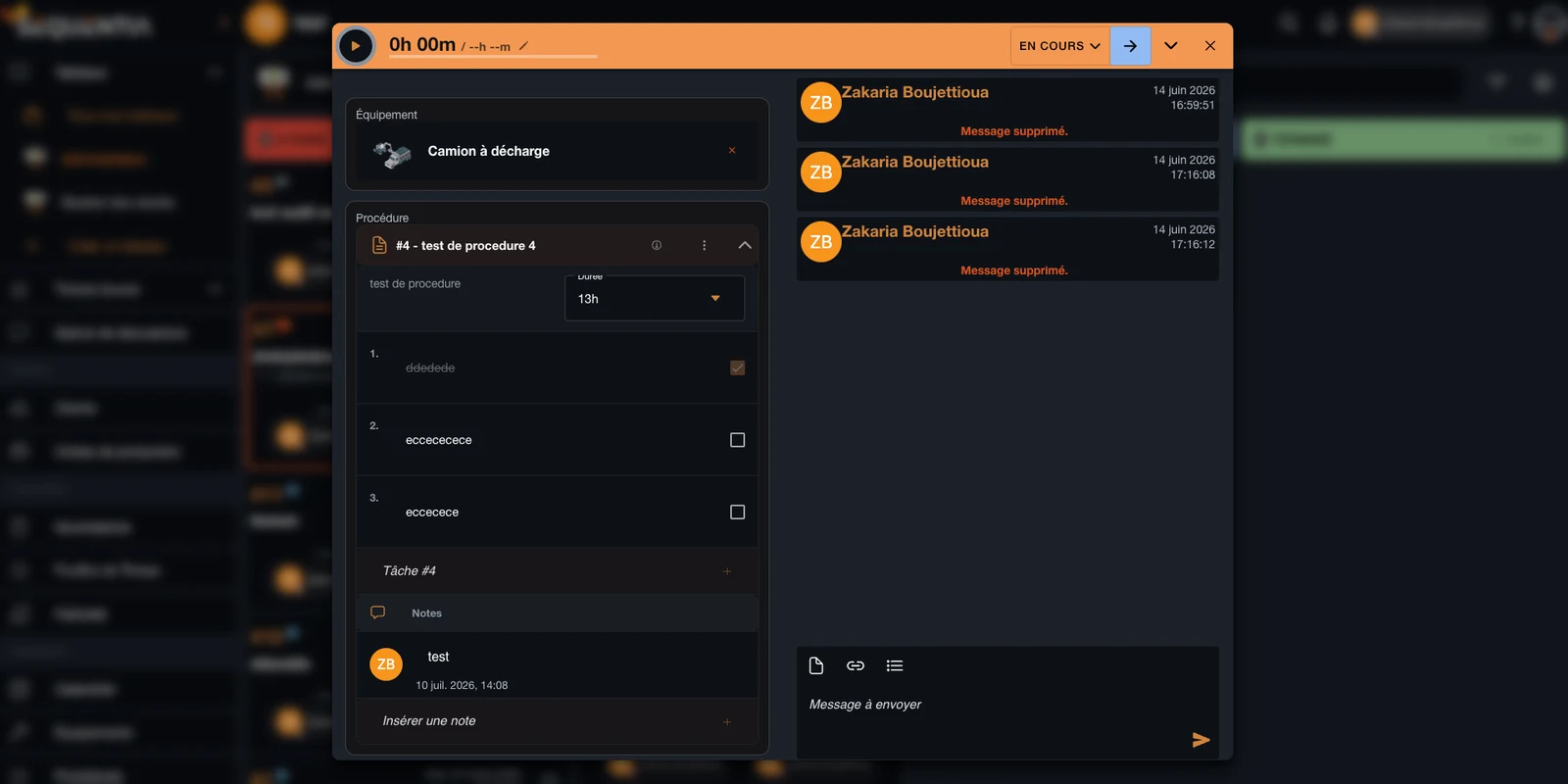
Link procedures to equipment and tickets so the right knowledge appears at the point of execution.
The same knowledge base can support production, maintenance, quality, employee training, and field service.
Guide diagnostics, preventive maintenance, and inspections with a checklist linked to the right asset.
Pass internal methods to new employees without relying only on verbal training and tribal knowledge.
Standardize checks, retain approvals, and show that required steps were followed consistently.
Give technicians the instructions, parts, and steps they need directly inside their ticket.
Knowledge creates value when it is clear, current, and available in the real context of execution.
Search and folders replace instructions scattered across email, binders, and shared drives.
Every employee follows the same work sequence, instructions, and validation criteria.
Completed tasks, notes, and interventions stay connected to the ticket and procedure used.
New employees get structured guidance while experts document their methods once for the whole team.
Answers to common questions about standard operating procedures and knowledge management in Sequentia.
It is an operational knowledge base. Procedures are not only archived: they are structured into tasks and connected to the equipment, tickets, and jobs where they must be applied.
Yes. A procedure can include a title, description, estimated duration, linked equipment, ordered steps, approvals, and notes.
Yes. The procedure appears in the ticket as a checklist. Technicians can follow the steps, complete tasks, and keep notes in the same work context.
Yes. They document internal know-how and give new employees a clear reference for learning company methods, controls, and best practices.
They standardize required steps and retain completed tasks, approvals, and notes linked to the job, making quality reviews and audit preparation easier.
We're here for you. Choose who to reach out to - a real person, not a form, not an AI.