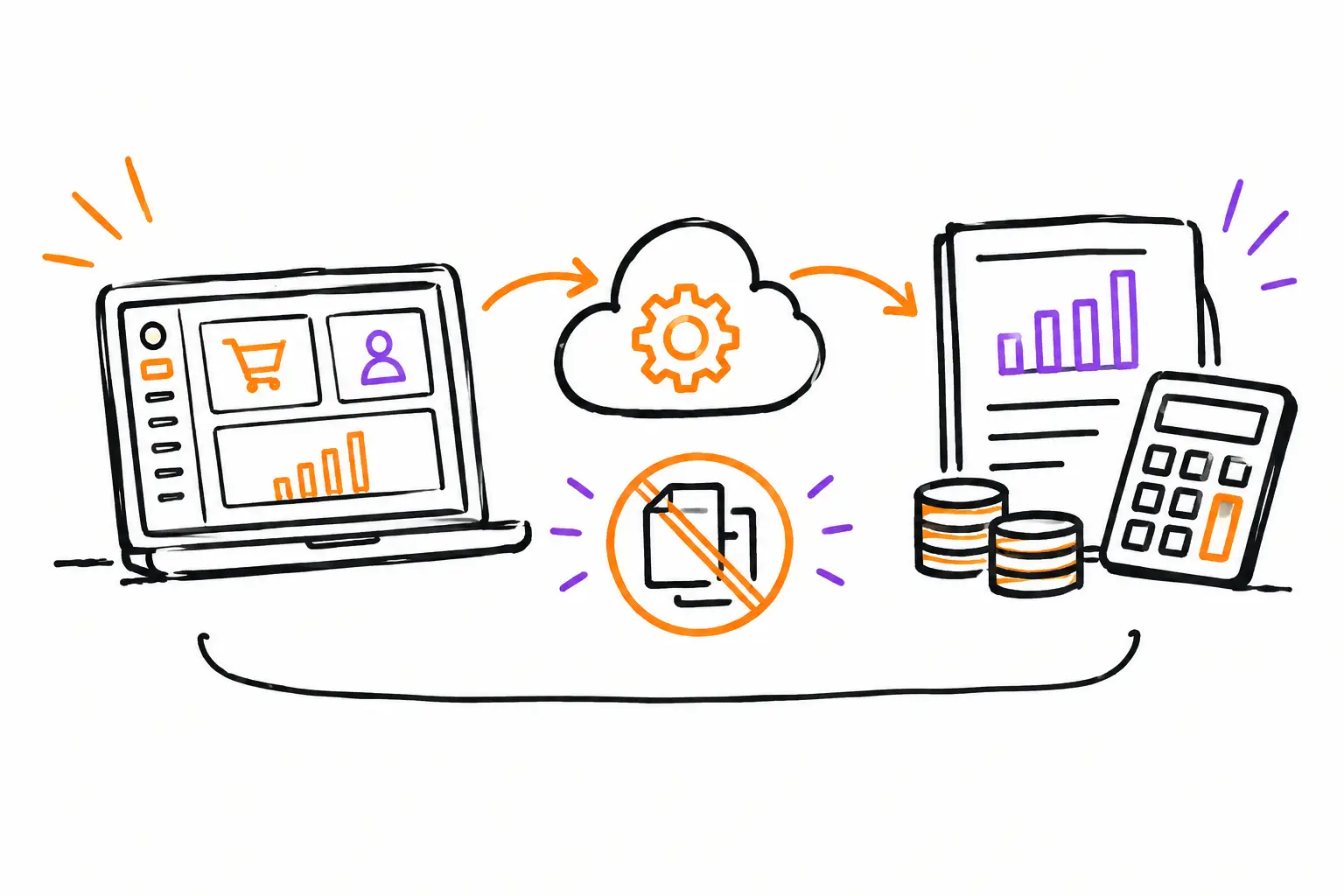
A technician closes their work order at 4:30 PM. They have noted their hours, parts used, an unforeseen expense, and the photos requested by the client. Yet, the next day, someone at the office still has to search for the information, transcribe it, and verify what can be billed. This is precisely where accounting integration makes a concrete difference: it connects the work actually performed to the data needed to bill, track revenue, and keep the books up to date.
For an SME in services, construction, maintenance, or property management, the challenge is not just moving numbers from one software to another. You must preserve the context. An invoice must be linkable to the right client, the right mandate, approved hours, consumed materials, and, if necessary, evidence provided in the field. Without this continuous thread, accounting becomes an exercise in reconstruction.
Accounting integration starts in the work order
Successful integration does not begin when exporting a batch of invoices. It begins when the team enters information where the work is done. The work order, mandate, service ticket, or project becomes the central file. Each intervention leaves a useful trace: tasks performed, time, expenses, inventory, attachments, comments, and approvals.
Take an equipment maintenance company. A client requests an urgent intervention. The coordinator creates a work order, assigns the technician, and indicates the procedures to follow. On-site, the technician records two and a half hours, adds a filter used from their vehicle, and has the client sign. Once the work is validated, the office can prepare the invoice from this information, without rereading texts, timesheets, or scattered photos.
The gain is not just administrative. The manager sees what is in progress, what is finished, and what is awaiting validation before billing. The field team knows what they need to document. The person responsible for accounts receivable works with complete data rather than assumptions.
The operational document provides accounting context
Accounting needs amounts, taxes, clients, and accounts. Operations need to know why an amount exists. When a system keeps these two realities separate, errors happen quickly: a billable hour forgotten, a part used but not billed, an expense charged to the wrong project, or an invoice sent before the work is actually finished.
The work document links this data. A time line is no longer just "3 hours": it is associated with an intervention, an employee, a date, and a client. An expense is no longer a photo of a receipt on a phone: it is part of the relevant file. This traceability helps as much with accurate billing as it does with answering a client's question several weeks later.
Statuses prevent premature billing
Accounting integration should not automatically turn every activity into an invoice. Some companies bill by visit, others by progress, an authorized budget, or a monthly contract. Therefore, you need statuses that reflect the real way of working: to be planned, in progress, to be validated, ready to bill, billed.
This control is particularly useful when several people are involved in the same file. The foreman confirms the work. The project manager verifies the extras. The administration prepares the invoice. Each step is visible, and no one has to guess if an expense has been approved or if a signature is still missing.
Exporting data is not enough
An accounting export can be useful, but it does not automatically solve the double-entry problem. If hours are poorly entered, if service codes vary from one employee to another, or if clients are not identified in the same way in both tools, you are simply moving the correction work elsewhere.
The question to ask is therefore not just: "Do the systems connect?" You must ask: "What data passes, when, and according to what rules?" An SME may want to transfer finalized invoices to its accounting software, keep payments and general ledger entries in that tool, and then keep all work execution in its operational platform. Another company may also need to synchronize clients, taxes, items, or projects.
The right model depends on the volume of transactions, the level of detail sought, and the accounting structure already in place. A small team can start with a controlled export and save a lot of time. A company managing several teams, divisions, or contract types will often benefit from further automation, provided its rules are well defined.
Data to prepare before connecting tools
Before launching an integration, take the time to clean up what serves as the meeting point between operations and accounting. This work avoids reproducing the same inconsistencies at a faster speed.
First, client files must be reliable. There must be one file per company, with the correct legal name, billing contact information, and applicable payment terms. Next, services, parts, and fees must have consistent labels. If the same trip is sometimes called "road," "travel," or "truck," profitability reports will be difficult to read.
Taxes also require special attention, especially when an SME bills in several provinces or combines taxable and non-taxable work. Finally, determine who can modify a price, add an extra, or authorize an invoice. Integration accelerates the flow, but it must respect your internal controls.
A clear path from submission to invoice
The best scenario remains simple to explain to the whole team. An accepted submission becomes a work document. The work is performed, documented, and validated. Eligible hours, materials, and expenses are grouped in the file. The invoice is generated from what has been approved, and then the necessary accounting data is transferred according to the established rules.
This path does not force all companies to work the same way. An excavation team can bill by progress with quantities and equipment. A specialized workshop can bill parts, labor, and subcontractors. A production agency can track a mandate by milestones. The essential thing is that the central document corresponds to your reality, not the other way around.
This is also what reduces end-of-month discussions. Instead of asking employees what they did three weeks ago, the administration consults the files to be billed. Instead of comparing several spreadsheets, the manager sees the completed work, the costs incurred, and the pending revenue.
Implementing accounting integration without blocking the team
Effective implementation is rarely done by trying to automate everything on the first day. Start with a precise flow that causes the most lost time: for example, completed work orders that must become invoices. Then do a trial with a few users and a limited number of clients.
Measure what changes. How many invoices go out faster? How many hours or parts were forgotten before? How many corrections still need to be made? These answers allow you to adjust mandatory fields, validations, and statuses before extending the operation to the entire company.
You must also provide for a person responsible for the rules of the game. Not necessarily an IT specialist. It can be the person who knows the link between operations, billing, and the accountant's expectations best. Their role is to decide when two ways of coding a service are circulating or when a particular case comes up often.
Keeping control after automation
Automating does not mean no longer verifying. A good practice is to regularly compare documents ready to be billed with generated invoices, then check for exceptions: incomplete files, unusual amounts, expenses without receipts, or work finished for too long without an invoice.
These discrepancies become management indicators. If timesheets always arrive late, the problem may be in the field procedure. If extras are often added after the fact, you may need to simplify their approval. Accounting integration provides better data, but it mainly helps to see where the workflow breaks.
With a configurable platform like Sequentia, the work order can follow your own steps, fields, and validations before moving on to billing. You thus retain the flexibility necessary for your trade while giving the office the information it needs, at the right time.
The real goal is not to connect software to check a box. It is to ensure that an hour worked, a part installed, or a mandate completed never disappears between the field and the invoice. When your teams document work once, they save time. When this information remains linked to the client file, you also gain the confidence needed to bill accurately.